
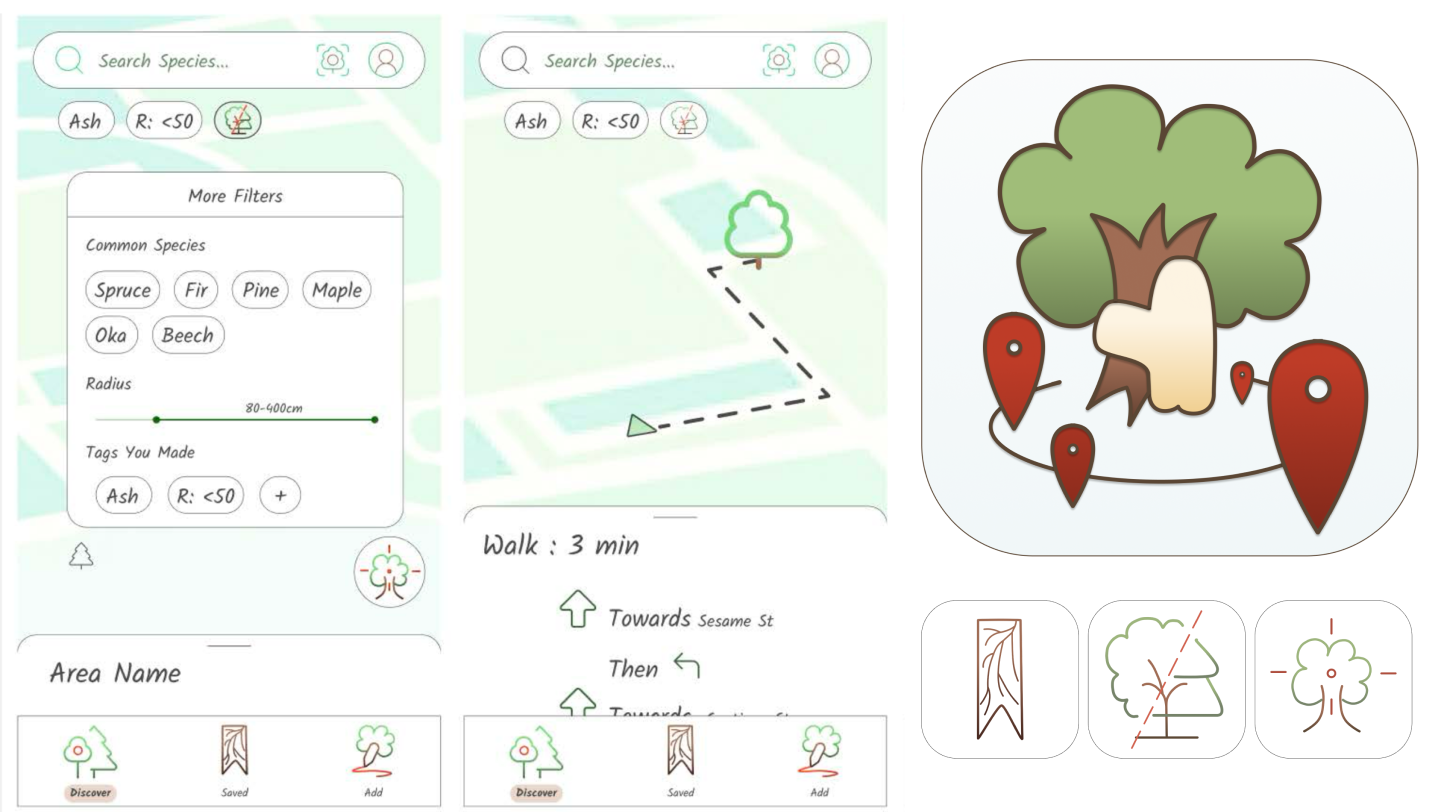
Hug A Tree
This projects focuses on designing 3 UI icons and 1 app icon with main screens navigation, interaction elements, and different states of icons (selected, unselected, etc.)
Problem
This project is based on making an app idea fictionable.
The challenge is to design icons that clearly communicate meaning without using any text.
It also requires understanding how users interpret visuals. Using semiotics, the problem is how the visual form connects to the concept of finding a huggable tree.
The design also needs to balance denotation (literal meaning, like a tree) and connotation (feelings like comfort, nature, calm).
Solution
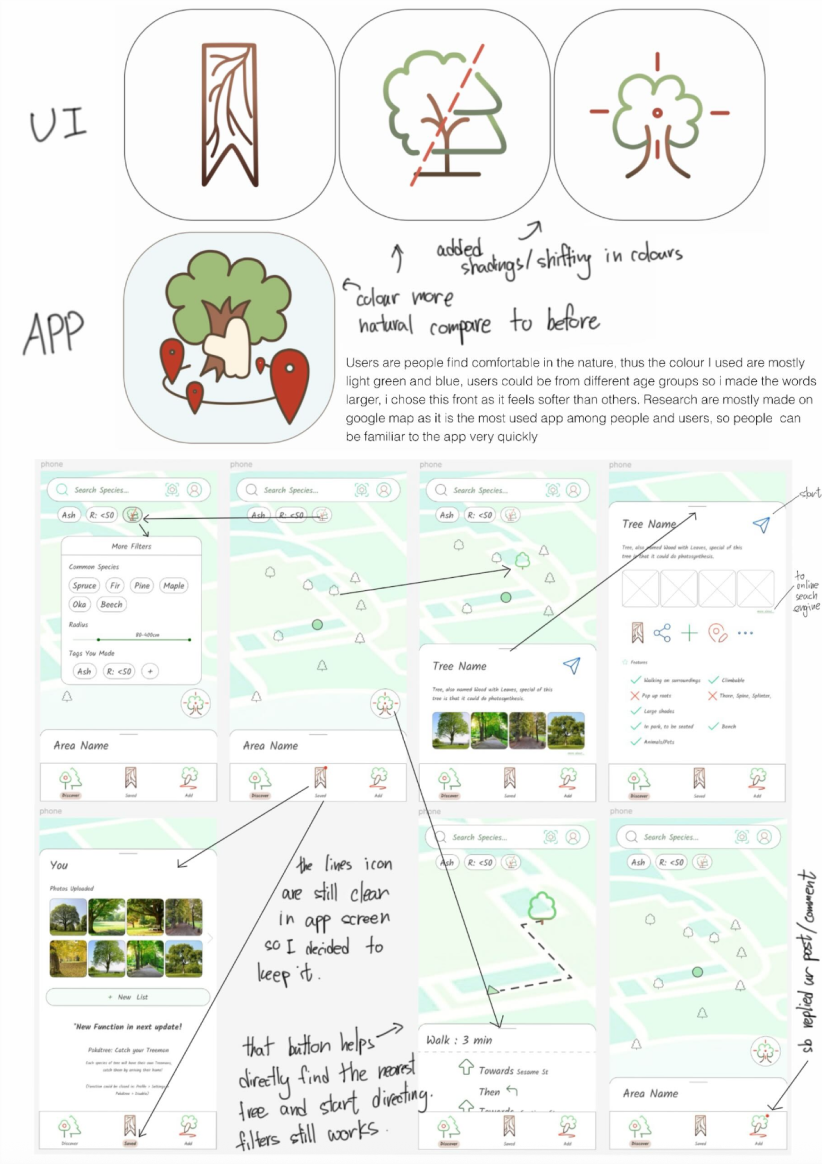
The app is designed for users who feel comfortable in nature. I used light green and blue colours to reflect nature, calmness, and freshness. The design is made for different age groups, so I used larger text to make it easier to read. I chose a softer font to create a friendly and relaxed feeling.
For the UI, I researched Google Maps because it is a commonly used app. I followed similar layout and interaction patterns so users can feel familiar with the app and understand how to use it quickly. The overall design focuses on clarity, comfort, and easy navigation.
Process
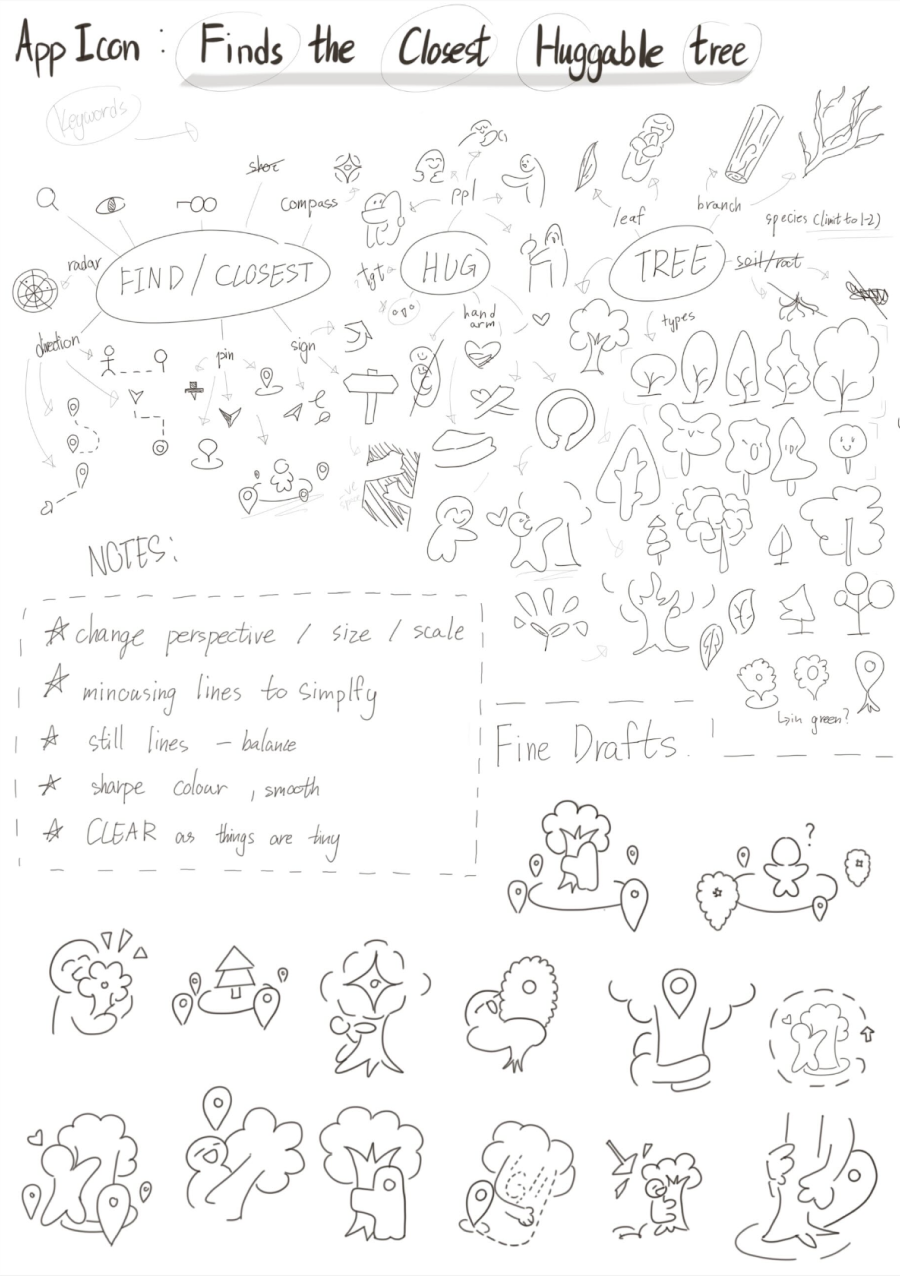
I started with rough sketches, creating over 30 different icon ideas to explore many directions. Then I refined my best ideas and created more detailed sketches. After that, I scanned them and recreated them as vector graphics in Figma.
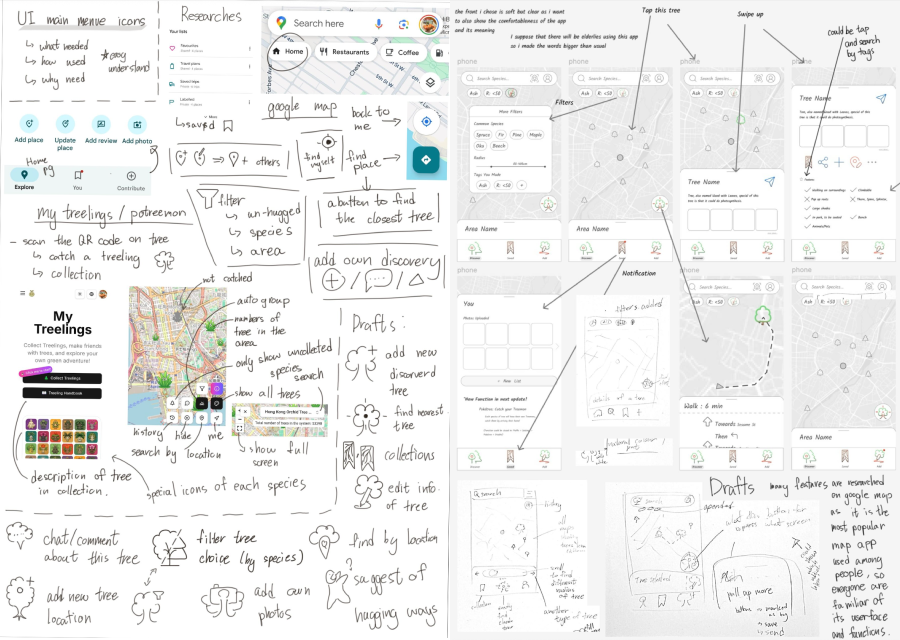
For the UI, I researched existing apps and studied layout, spacing, and interaction cues. I made low-fidelity wireframes first, then higher-fidelity wireframes, and finally a full mockup.
One challenge was creating an icon without using text, so I had to test many visual ideas to make it clear. Another challenge was deciding layout and interaction, which I improved by iterating and using feedback. All work was organized into a clear PDF showing sketches, wireframes, and final design.
My Role
- UI & Icon Designer
- Visual Designer
Team
- Individual project
Timeline
- 3–4 weeks total
- Sketching & Ideation
- Wireframing & Design
- Final Mockup & Prototype
Tools
- Figma
- Paper & Pencil (sketching)